
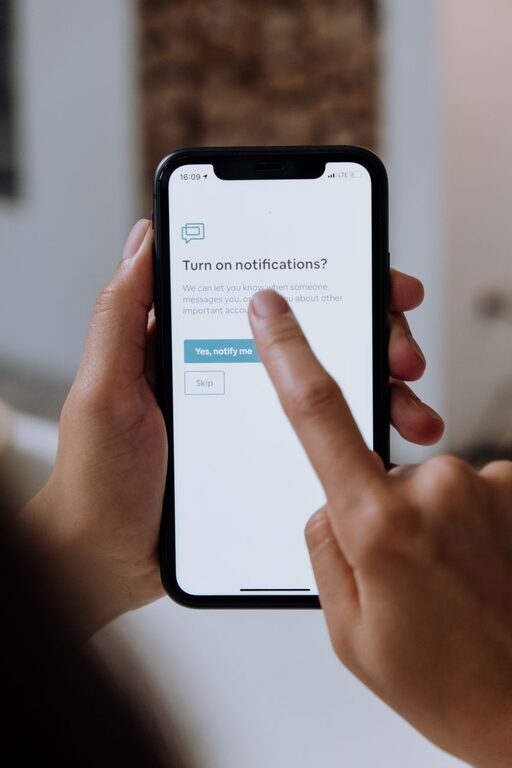
In today’s connected world, notifications can either keep us informed or become constant distractions. Managing them effectively is essential to maintaining focus, reducing stress, and improving productivity. Setting boundaries with notifications doesn’t mean ignoring important messages; it means taking control of when and how you receive them.
This post will guide you through practical tips to manage your notifications thoughtfully and find a balance that works for your lifestyle.
Why Setting Boundaries with Notifications Matters
Notifications are designed to grab your attention, often interrupting tasks, conversations, or relaxation. Over time, this constant buzzing or popping can lead to:
– Reduced productivity and frequent task-switching
– Increased feelings of anxiety or overwhelm
– Poor sleep quality if devices disturb you at night
By creating boundaries, you protect your time and mental space, ensuring notifications serve you rather than control you.
1. Audit Your Notifications Regularly
Start by reviewing which apps and services send you notifications. Most smartphones and computers display a list of apps with notification settings. Ask yourself:
– Do I really need notifications from this app?
– Are some notifications redundant or unnecessary?
– Which ones require immediate attention and which can wait?
Delete or disable notifications from apps that don’t add value to your day.
2. Customize Notification Settings per App
Instead of turning off all notifications, tailor them for each app:
– Prioritize: Allow notifications only from essential apps such as messaging, calendar, or work tools.
– Change notification type: Choose silent notifications for less urgent apps or enable banners and sounds only for critical alerts.
– Set summary delivery: Some platforms offer scheduled notification summaries, bundling non-urgent alerts to a specific time.
For example, social media apps might be muted during work hours but allowed in the evening.
3. Use Do Not Disturb Mode Strategically
Most devices include a Do Not Disturb (DND) mode, which can suppress notifications temporarily. Use this feature to:
– Focus on deep work or study sessions
– Enjoy uninterrupted family or social time
– Sleep without distractions
Set DND schedules that align with your daily routine, or enable it manually when you want to concentrate.
4. Create Notification-Free Zones and Times
Establish boundaries in your environment:
– Notification-free zones: For instance, keep bedrooms or dining areas free from phone use to encourage rest and meaningful interaction.
– Notification-free times: Designate times when you won’t check devices, such as during meals, workouts, or the first and last hour of the day.
This helps reduce the urge to constantly check notifications and promotes healthier habits.
5. Use Technology to Help You Manage
Several apps and built-in features can assist you in controlling notifications:
– Focus or productivity apps: These apps can block or limit notifications during set periods.
– Smartwatch control: If you use a smartwatch, adjust notification settings separately to avoid duplicate alerts.
– Notification summaries: App or system settings that deliver grouped notifications at specific times.
Explore these tools to find what fits your routine best.
6. Communicate Your Boundaries to Others
If you expect to limit notifications during certain hours, inform friends, family, or colleagues. This helps manage their expectations and encourages them to contact you through the appropriate channels or times.
For example, you might set an automatic email reply or status message indicating your availability.
7. Regularly Reassess and Adjust
Your notification preferences may change over time. Make it a habit to revisit your settings every few months and tweak them as needed to reflect your priorities and lifestyle changes.
Summary
Setting boundaries with notifications is a vital step toward managing your digital life more consciously. By auditing your notifications, customizing settings, leveraging Do Not Disturb, creating notification-free zones, and communicating your limits, you can reduce distractions and promote a healthier balance between staying informed and staying focused.
Remember, notifications are tools designed to help—not hinder—you. Taking control over them empowers you to make the most of your time and attention.